Apple fixes another image-processing flaw that could allow code execution
Apple has released security updates for more than two dozen security vulnerabilities across iPhone, iPad, and macOS Tahoe,including yet another image parsing vulnerability that could compromise your device.
This update delivers security fixes that were first made available in the iOS 27 and iPadOS 27 betas.
Updates for your particular device
The table below shows which updates are available and points you to the relevant security content for each one.
| Name and information link | Available for |
| iOS 26.6.1 and iPadOS 26.6.1 | iPhone 11 and later, iPad Pro 12.9-inch 3rd generation and later, iPad Pro 11-inch 1st generation and later, iPad Air 3rd generation and later, iPad 8th generation and later, and iPad mini 5th generation and later |
| iOS 18.7.10 and iPadOS 18.7.10 | iPhone XS, iPhone XS Max, iPhone XR, iPad 7th generation |
| macOS Tahoe 26.6.2 | macOS Tahoe |
| visionOS 26.6.1 | Details coming soon |
How to update your Apple devices
How to update your iPhone or iPad
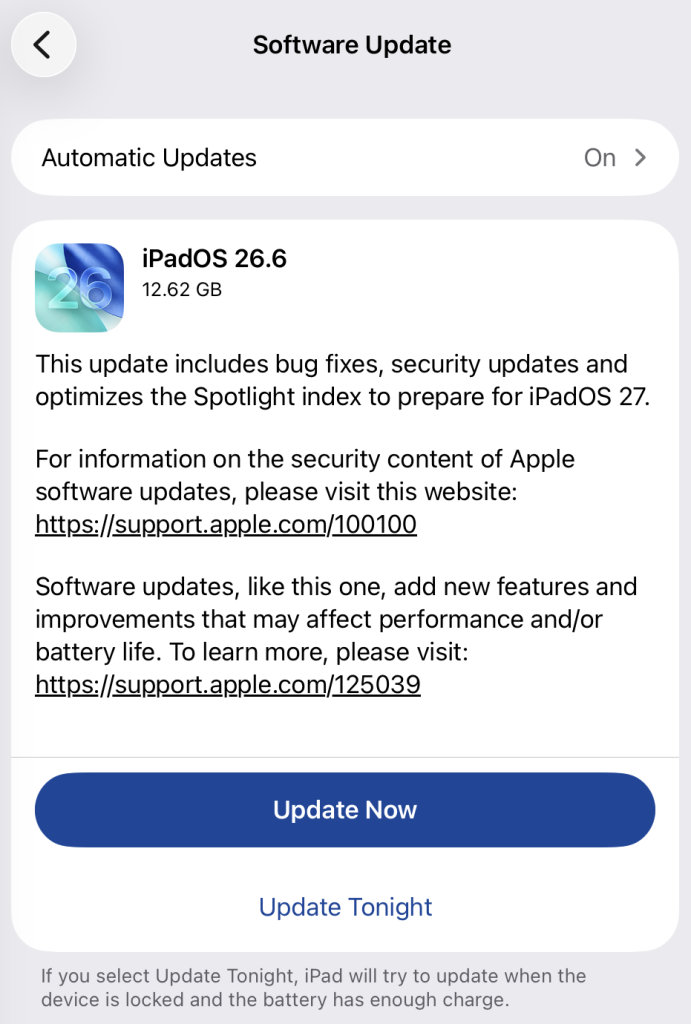
For iOS and iPadOS users, here’s how to check if you’re using the latest software version:
Go to Settings > General > Software Update. You will see if there are updates available and be guided through installing them.
Turn on Automatic Updates if you haven’t already—you’ll find it on the same screen.
How to update macOS on any version
To update macOS on any supported Mac, use the Software Update feature, which Apple designed to work consistently across all recent versions. Here are the steps:
- Click the Apple menu in the upper-left corner of your screen.
- Choose System Settings (or System Preferences on older versions).
- Select General in the sidebar, then click Software Update on the right. On older macOS, just look for Software Update directly.
- Your Mac will check for updates automatically. If updates are available, click Update Now (or Upgrade Now for major new versions) and follow the on-screen instructions. Before you upgrade to macOS Tahoe 26, please read these instructions.
- Enter your administrator password if prompted, then let your Mac finish the update (it might need to restart during this process).
- Make sure your Mac stays plugged in and connected to the internet until the update is done.
Technical details
Of the 27 vulnerabilities, CVE-2026-65346 is the one that stands out. It is an ImageIO integer-overflow bug in which merely processing a malicious image may result in arbitrary code execution, a substantially stronger stated impact than the many “crash-only” findings in this release.
ImageIO is Apple’s framework that handles image parsing. An integer overflow means the vulnerability lets a malicious hacker trick the program into performing an integer operation where the result exceeds the allocated memory space. This can lead to attackers running malicious programs or gaining elevated privileges. In this case, it allows the attacker to run code on the target’s device.
There is no indication in Apple’s advisory that CVE-2026-65346 or any other listed vulnerability was exploited in the wild, but cybercriminals will often try to reverse engineer the patch to come up with an exploit, or the researchers who found it will post a proof-of-concept once everyone has had a chance to apply the update. At that point, these vulnerabilities can be used against you.
Scammers know more about you than you think.
Malwarebytes Mobile Security protects you from phishing, scam texts, malicious sites, and more. With real-time AI-powered Scam Guard built right in.
Download for iOS → Download for Android →